Every day, billions of people open a small icon on their phone, laptop or television and launch one of the most sophisticated pieces of consumer software ever written. Behind that single click hides a small operating system in its own right: a network client, an interpreter for three programming languages, a layout engine, a sandboxed virtual machine, and a database. We call this remarkable piece of engineering, almost dismissively, a "web browser."
A Brief History: From CERN to Your Pocket
The story begins in late 1990 at CERN, Geneva. Tim Berners‑Lee finished writing a program called WorldWideWeb — simultaneously a browser and an editor — which displayed the first web page in history. The web remained a niche tool for scientists until 1993, when Marc Andreessen's team released Mosaic at the NCSA: the first browser to display images inline with text, running on Windows, Mac and Unix. The web became something one could browse rather than merely query.
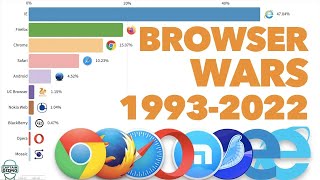
A year after Mosaic, Andreessen co-founded Netscape, whose Navigator reached 86% market share by 1996. Microsoft responded with Internet Explorer bundled free with Windows, triggering the "First Browser War." By the early 2000s IE commanded over 90% of users. Then came the counter-revolution: Firefox (2004), Safari (2003), and above all Chrome (2008), which introduced multi-process architecture and the blazing-fast V8 JavaScript engine. Within a few years Chrome had eclipsed everything else. Microsoft eventually retired IE and replaced it with Edge, rebuilt on Chromium in 2020.
What a Browser Actually Is
Strip away the tabs and bookmarks, and a browser is formally a user agent: a program that retrieves resources on the user's behalf and presents them in a usable form. More concretely, it is four things welded into one application:
Fetches pages and files from the internet — like a postal worker that picks up your mail and brings it to your door
Reads the page's instructions and draws everything you see on screen — text, images, buttons, colours
Runs the code that makes pages interactive — dropdowns, animations, live search results, and anything that moves or responds to clicks
Remembers things between visits — your login, your preferences, cached images — so pages load faster next time
Inside the Machine: The Internal Architecture
Modern browsers, regardless of vendor, share a common architectural blueprint — a stack of cooperating layers, each with a distinct role. In modern browsers these layers are not merely modular; they are isolated into separate OS processes. Chrome pioneered this in 2008, giving each tab its own renderer process so a crash in one tab cannot bring down the rest, nor access another origin's data.
The Three Engines That Render the Modern Web
Although there are many browsers, there are essentially only three rendering engines that matter. When these three engines decide how a CSS feature behaves, they collectively decide what the web is.
Forked from WebKit by Google in 2013. The engine inside Chromium, the open-source project that powers most of the world's browsers. Heavily optimised for performance and regularly ships new web platform features.
Chrome · Edge · Opera · Brave · Vivaldi · SamsungDeveloped by Mozilla, descending from the original Netscape engine. The only major engine maintained outside the Chromium ecosystem on desktop. Mozilla has modernised it with Rust-based components from Servo and Quantum.
Firefox · Tor BrowserDeveloped by Apple, forked from KHTML (KDE) in 1998. Powers Safari on all Apple platforms. Until 2024, Apple required every iOS browser to use WebKit under the hood — loosened in the EU under the Digital Markets Act.
Safari · (all iOS browsers outside EU)Who Uses What: Market Share in 2026
According to StatCounter Global Stats, the worldwide browser market in March 2026 was distributed as follows across all platforms. Note that Chrome, Edge, Opera, Brave and Samsung Internet all share the same Blink engine — meaning roughly four out of every five page views worldwide are rendered by Google's code.
Interpreter, Translator, Gatekeeper
What ties all of this together is a single philosophical role: the browser is the universal interpreter of the web's three native languages.
Describes structure and meaning — the skeleton of every page
Describes presentation — colour, layout, typography, animation
Describes behaviour — interactivity, data fetching, dynamic updates
None of them does anything on its own; each is just text until a browser reads it, parses it into an internal representation, and decides what should appear on screen and how it should react when you touch it. Every animation, form, video player, and web application you have ever used exists only inside that act of interpretation.
When you type a URL and press Enter, you are asking your user agent to perform an extraordinarily complex dance: translate a human-readable name into a numeric address, open a secure connection across continents, request a resource, parse the response, execute code written by strangers, and weave the result into a coherent visual surface — all in the few hundred milliseconds before you grow impatient. The small icon on your desktop is, in truth, one of the most quietly ambitious pieces of software ever shipped to the public. And without it, the web as we know it simply could not exist.
Main References
- Wikipedia — "Web browser" and "History of the web browser": comprehensive technical and historical overview including the timeline of WorldWideWeb, Mosaic, Netscape and the browser wars.
en.wikipedia.org/wiki/Web_browser - MDN Web Docs — "Populating the page: how browsers work": Mozilla's authoritative explanation of parsing, the critical rendering path, the DOM/CSSOM and JavaScript execution.
developer.mozilla.org/en-US/docs/Web/Performance/Guides/How_browsers_work - web.dev — "How browsers work" by Tali Garsiel and Paul Irish: the canonical deep-dive into browser architecture, rendering engines, and the networking and JavaScript layers.
web.dev/articles/howbrowserswork - CERN — "A short history of the Web": primary-source account of Tim Berners‑Lee's invention of the WorldWideWeb browser.
home.cern/science/computing/birth-web/short-history-web - StatCounter Global Stats — "Browser Market Share Worldwide": monthly market-share data for Chrome, Safari, Edge, Firefox, Samsung Internet and Opera (figures cited from March 2026).
gs.statcounter.com/browser-market-share