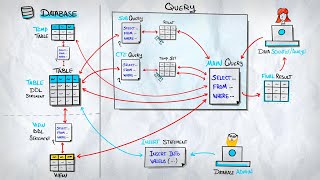
Relational databases deliberately scatter information across many tables — a single customer here, their orders there, their addresses somewhere else. That separation keeps data tidy and consistent, but it raises an obvious question: how do we put the pieces back together when we need them? The answer, and one of the most important tools in SQL, is the JOIN.
Why JOINs Exist
Real applications almost never store everything in one place. The principle of normalisation
tells us to break information into focused tables linked by keys, so that each fact lives in exactly
one row. A customer's name is stored once in a customers table; every order they place
lives in an orders table and simply references that customer by id.
Think of it like a library. The borrowing card tells you who took a book; the membership register tells you who that borrower is. Neither card alone gives you the full story. A JOIN is the librarian who walks between the two cabinets and matches them up.
The Sample Dataset
Every example in this article uses the same two tables. Keep them in mind — we will return to them throughout.
customers
| customer_id | name | city |
|---|---|---|
| 1 | Alice | London |
| 2 | Bob | Paris |
| 3 | Carla | Berlin |
| 4 | Diego | Madrid |
orders
| order_id | customer_id | total | status |
|---|---|---|---|
| 101 | 1 | 89.50 | shipped |
| 102 | 1 | 42.00 | pending |
| 103 | 2 | 150.00 | shipped |
| 104 | 3 | 27.75 | cancelled |
| 105 | 5 | 60.00 | shipped |
Notice two deliberate quirks: Diego (customer 4) has placed no orders, and order 105 references
a customer_id of 5 that does not exist in customers. These edge cases
reveal exactly how each JOIN type behaves.
INNER JOIN — Only the Matches
An INNER JOIN returns only the rows where the join condition holds in both
tables. Anything without a partner on the other side is silently dropped.
↳ Result — 4 rows
| name | order_id | total |
|---|---|---|
| Alice | 101 | 89.50 |
| Alice | 102 | 42.00 |
| Bob | 103 | 150.00 |
| Carla | 104 | 27.75 |
Applied to our sample data, this returns four rows — the orders belonging to Alice, Bob, and
Carla. Diego disappears (no orders) and order 105 disappears (no matching customer). Writing
INNER JOIN is technically equivalent to just JOIN, but the explicit
keyword is clearer for human readers.
LEFT JOIN — Keep Everyone on the Left
A LEFT JOIN keeps every row from the left-hand table, even if there is no match
on the right. Where the right side is missing, the database substitutes NULL.
↳ Result — 5 rows
| name | order_id | total |
|---|---|---|
| Alice | 101 | 89.50 |
| Alice | 102 | 42.00 |
| Bob | 103 | 150.00 |
| Carla | 104 | 27.75 |
| Diego | NULL | NULL |
Now Diego appears in the result, with NULL in the order_id and
total columns. LEFT JOIN is the go-to tool for questions of the form "show me all
X, with their Y if they have one" — all customers and any orders, all products and any reviews,
all employees and any assigned projects.
Placing a filter on the right-side table in WHERE removes every NULL row — because NULL never satisfies a condition. Your LEFT JOIN secretly becomes an INNER JOIN. The fix is simple: move that condition into the ON clause.
RIGHT JOIN — The Mirror Image
A RIGHT JOIN is the exact mirror of LEFT JOIN: it keeps every row from the
right-hand table and fills the left side with NULLs where there is no match.
↳ Result — 5 rows
| name | order_id | total |
|---|---|---|
| Alice | 101 | 89.50 |
| Alice | 102 | 42.00 |
| Bob | 103 | 150.00 |
| Carla | 104 | 27.75 |
| NULL | 105 | 60.00 |
This returns all five orders, with NULL in c.name for order 105.
In practice, RIGHT JOIN is uncommon — most developers simply swap the table order and use a
LEFT JOIN, which reads more naturally from left to right.
FULL OUTER JOIN — Everyone, Matched or Not
A FULL OUTER JOIN combines both outer joins: every row from both tables appears,
paired where possible, with NULL filling the gaps. Against our sample data it
returns six rows — the four matched pairs, plus Diego (no order) and order 105 (no customer).
↳ Result — 6 rows
| name | order_id | total |
|---|---|---|
| Alice | 101 | 89.50 |
| Alice | 102 | 42.00 |
| Bob | 103 | 150.00 |
| Carla | 104 | 27.75 |
| Diego | NULL | NULL |
| NULL | 105 | 60.00 |
FULL OUTER JOIN natively.
The standard workaround is a UNION of a LEFT and a RIGHT JOIN:
CROSS JOIN — Every Combination
A CROSS JOIN produces the Cartesian product: every row from the left table paired
with every row from the right, with no condition needed. Four customers × five orders gives
twenty rows — and that number multiplies fast on real tables.
↳ Result — 20 rows (sample)
| name | order_id |
|---|---|
| Alice | 101 |
| Alice | 102 |
| Alice | 103 |
| Alice | 104 |
| Alice | 105 |
| Bob | 101 |
| … 14 more rows (Bob×4, Carla×5, Diego×5) | |
CROSS JOIN is genuinely useful when you intend to generate combinations: every product paired
with every size, every date in a calendar with every store location. It is dangerous when
triggered by accident — usually by forgetting the ON clause on a regular join,
which most databases will either reject or silently treat as a Cartesian product.
Self JOIN — A Table Joined to Itself
Sometimes the relationship you want lives within a single table. The classic example is an
employees table where each row has a manager_id column pointing at
another row in the same table. To list each employee alongside their manager's name, you
reference the table twice using aliases:
There is no special SELF JOIN keyword — it is simply a regular join in which both
sides happen to be the same table. The aliases e and m are what let
the database, and the reader, tell the two roles apart. Using LEFT JOIN here
ensures the CEO (who has no manager) still appears in the result.
ON, USING, and NATURAL JOIN
SQL offers three ways to express the join condition. ON is the most general:
it takes any Boolean expression, exactly like a WHERE clause. Use it whenever
you want full control — and that is almost always.
USING (column) is a shorthand for the common case where both tables share the
same column name. JOIN orders USING (customer_id) is equivalent to
ON customers.customer_id = orders.customer_id, with the bonus that the joined
column appears only once in the result set.
NATURAL JOIN goes further still: it automatically joins on all columns with
matching names in both tables. This sounds convenient until someone adds a column called
updated_at to both tables and silently changes the meaning of every existing
query that used NATURAL JOIN. For that reason it is widely discouraged in
production code. Be explicit.
A Visual Summary
Common Pitfalls
-
Forgetting the
ONclause. Without one, most databases either reject the query or silently produce a Cartesian product. A query that should return a few hundred rows can suddenly return millions. -
Joining on the wrong column. Schemas often contain several id-like columns.
Joining
customers.customer_id = orders.order_idinstead oforders.customer_idwill return data — just not the data you intended. - Duplicate rows from one-to-many joins. If a customer has three orders, an INNER JOIN repeats the customer row three times. When aggregating, compute totals before joining, or use subqueries and CTEs to keep results honest.
- Unindexed join columns. Joins perform best when the join columns are indexed. Foreign-key columns are not always indexed automatically — always verify.
Putting It All Together
A realistic everyday query combines an INNER JOIN with filtering, sorting, and a row limit. Here is one that lists the five most expensive shipped orders alongside the customer who placed them:
↳ Result — 2 rows
| name | city | order_id | total |
|---|---|---|---|
| Bob | Paris | 103 | 150.00 |
| Alice | London | 101 | 89.50 |
Read it top to bottom: combine customers with their orders, keep only the shipped ones, sort by total descending, return the top five. Once JOINs click, the rest of SQL begins to feel like a single coherent language rather than a collection of unrelated keywords.
Master the five types — INNER, LEFT, RIGHT, FULL OUTER, and CROSS — plus the self join pattern, and you can express almost any relational question your data can answer.
Main References
-
PostgreSQL Global Development Group. PostgreSQL Documentation: Table Expressions.
https://www.postgresql.org/docs/current/queries-table-expressions.html -
Oracle Corporation. MySQL 8.0 Reference Manual: JOIN Clause.
https://dev.mysql.com/doc/refman/8.0/en/join.html -
Microsoft. Joins (SQL Server) — SQL Server Documentation.
https://learn.microsoft.com/en-us/sql/relational-databases/performance/joins -
SQLite Consortium. SQLite: SELECT Statement.
https://www.sqlite.org/lang_select.html -
Amazon Web Services. Amazon Redshift Developer Guide: JOIN types.
https://docs.aws.amazon.com/redshift/latest/dg/r_JOIN_types.html